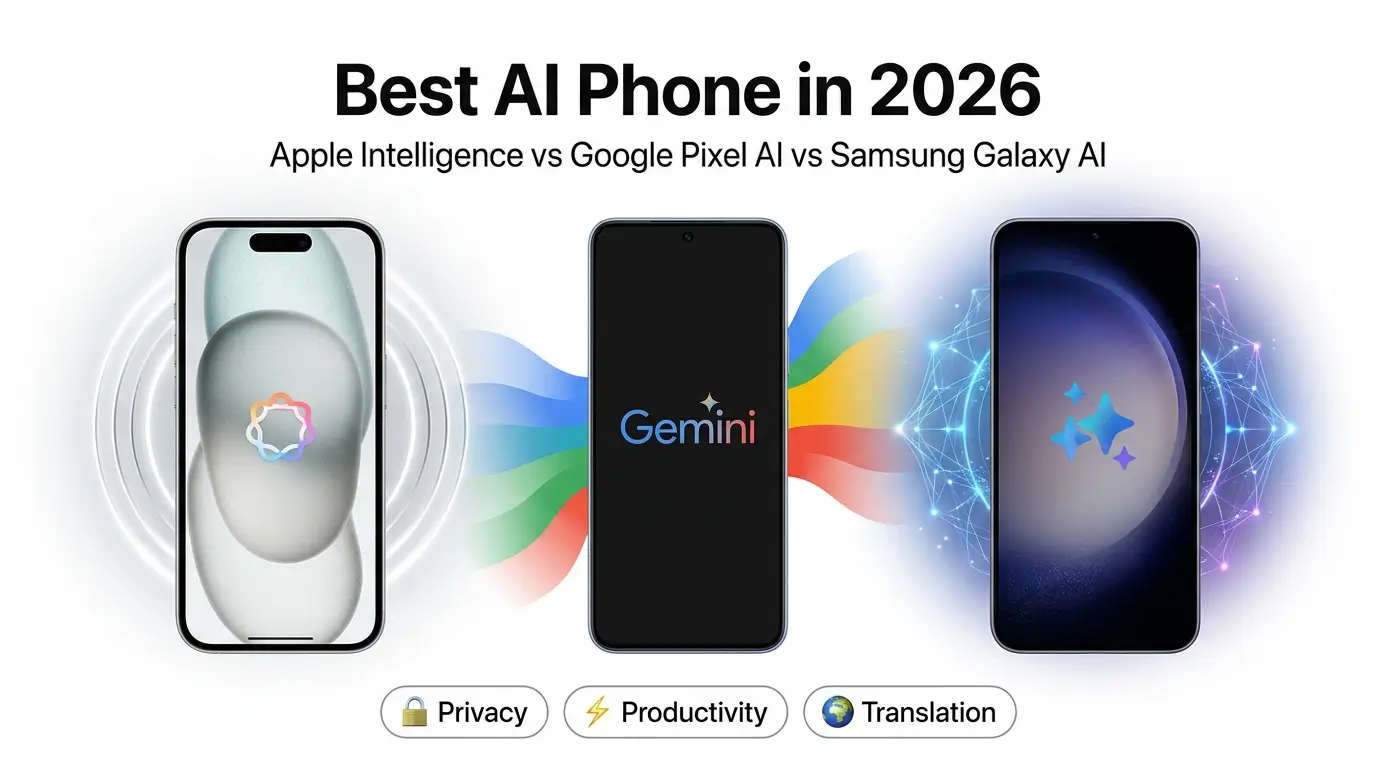
Buying an AI phone is no longer just about cameras or battery life. Apple, Google, and Samsung all promise smarter experiences, but each takes a very different approach to AI. This guide compares Apple Intelligence, Google Pixel AI, and Samsung Galaxy AI based on real-world usefulness—not marketing claims—so you can choose the ecosystem that best fits your daily life.
Quick Verdict
| Your Priority | Best AI Ecosystem |
|---|---|
| Overall everyday AI | Google Pixel AI |
| Privacy | Apple Intelligence |
| Productivity | Google Pixel AI |
| Translation | Samsung Galaxy AI |
| Creative AI tools | Samsung Galaxy AI |
| Apple ecosystem | Apple Intelligence |
| Google ecosystem | Google Pixel AI |
The Bottom Line
There isn’t one AI platform that’s best for everyone.
- Choose Apple Intelligence if privacy and seamless integration with your Apple devices matter most.
- Choose Google Pixel AI if you want AI that genuinely improves productivity and everyday tasks.
- Choose Samsung Galaxy AI if you value multilingual communication, creative tools, and the widest range of AI features.
The best AI phone isn’t the one with the longest feature list—it’s the one whose AI quietly saves you time every day.
AI Phones Have Changed—But Choosing One Has Become Harder
Only a few years ago, smartphone buyers mostly compared cameras, battery life, and performance. Today, AI has become the biggest selling point for flagship phones. Apple focuses on Apple Intelligence as a privacy-first AI experience. Google builds Gemini deeply into Pixel phones to create a smarter personal assistant. Samsung emphasizes its own AI features with Google’s technology to build one of the most feature-rich AI experiences available. In 2026, these ecosystems are best represented by the iPhone 17 Pro series, Google Pixel 10 Pro series, and Samsung Galaxy S26 Ultra. While many AI features are available on older supported devices, these flagship models showcase each company’s latest AI capabilities.
The problem is that marketing doesn’t tell you which features you’ll actually use. Many AI tools look impressive during launch events but are forgotten after a few weeks. Others—like writing assistance, call summaries, translation, and photo cleanup—quickly become part of your daily routine.
That’s why this guide doesn’t compare AI phones by counting features or quoting benchmark numbers. Instead, we’ll answer practical questions:
- Which AI ecosystem saves the most time?
- Which one protects your privacy better?
- Which AI features are genuinely useful?
- Does AI hardware really matter?
- And ultimately, which AI phone should you buy?
Rather than focusing on hype, we’ll compare Apple Intelligence, Google Pixel AI, and Samsung Galaxy AI based on real-world usefulness.
How We Evaluated These AI Platforms
Every smartphone company highlights different AI capabilities, making direct comparisons difficult. To keep this guide practical, we evaluated each ecosystem using five criteria that matter to everyday users instead of relying on marketing claims.
1. Everyday usefulness
Does the AI actually save time during everyday tasks?
Features like writing assistance, meeting summaries, spam call detection, translation, and photo editing matter far more than novelty AI effects.
2. Reliability
An AI feature is only valuable if it works consistently.
We considered how well each platform performs during common activities such as rewriting messages, summarizing recordings, translating conversations, and editing photos.
3. Privacy
Some AI tasks stay on your phone while others rely on cloud servers. We looked at how each ecosystem balances privacy, security, and advanced AI capabilities.
4. Ecosystem experience
The best AI often depends on the devices and services you already use. Apple Intelligence works best with Macs and iPads. Google Pixel AI naturally fits Gmail, Google Photos, Docs, Calendar, and Gemini. Samsung Galaxy AI complements Samsung’s wider ecosystem while supporting Google-powered AI experiences.
5. Long-term value
Many AI features are exciting during a keynote but quickly become forgotten. We focused on features that people continue using months after buying their phones.
💡 Giznova Take
The best AI isn’t the smartest demo—it’s the one that quietly removes friction from everyday life.
What Makes an AI Phone Actually Useful?
Not every AI feature makes your phone better. The most valuable AI tools solve everyday problems with minimal effort. Whether it’s rewriting an email, summarizing meeting notes, translating a conversation, or removing distractions from a photo, the best AI feels like a helpful assistant rather than another app you have to learn. When comparing AI phones, ask these five questions.
Does it save time?
Useful AI reduces repetitive work. Examples include:
- Writing assistance
- Meeting summaries
- Smart search
- Call screening
- Visual search
- AI photo cleanup
If you use a feature every week, it’s delivering real value.
Does it work reliably?
AI should make tasks easier—not force you to double-check every result. Translation should understand natural conversations. Writing tools should preserve your intended meaning. Photo editing should produce believable edits. Reliability matters more than the number of available AI features.
Does it protect your privacy?
Modern AI uses three approaches:
- On-device processing
- Cloud processing
- Hybrid AI
Understanding where your information is processed helps you make better decisions about privacy and convenience.
We’ll compare these approaches later in this guide.
Does it fit your workflow?
Students, professionals, travellers, and casual users all use AI differently. Someone attending meetings every day will value transcription tools. Frequent travellers benefit more from translation. Creative users may care about AI photo editing. There isn’t a universal winner.
Will you still use it six months later?
The most successful AI features aren’t always the flashiest. Long-term users consistently rely on:
- Writing assistance
- Call summaries
- Smart search
- Translation
- AI photo cleanup
Those features provide lasting value long after the excitement of buying a new phone fades.
Apple Intelligence vs Google Pixel AI vs Samsung Galaxy AI at a Glance
| Category | Apple Intelligence | Google Pixel AI | Samsung Galaxy AI |
|---|---|---|---|
| Best For | Privacy & Apple users | Productivity & Google services | Feature variety & translation |
| Writing Tools | Excellent | Excellent | Excellent |
| Productivity | Very Good | Best | Very Good |
| Translation | Good | Very Good | Best |
| AI Photography | Excellent | Best | Excellent |
| Privacy | Best | Very Good | Very Good |
| Ecosystem | Apple | Samsung |
Our First Impression
None of these platforms is objectively “better.” Each excels in different areas.
- Apple focuses on trust, privacy, and seamless integration.
- Google emphasizes intelligent assistance and productivity.
- Samsung offers the widest range of AI features with excellent multilingual support.
The right choice depends less on specifications and more on how you already use your phone.
Which AI Ecosystem Is Right for You?
One of the biggest mistakes buyers make is searching for the “best AI phone.” In reality, the best choice depends on how you use your phone every day.
Apple, Google, and Samsung have each built AI around different priorities. Rather than asking which company has the smartest AI, ask which ecosystem fits your workflow.
Choose Apple Intelligence if…
Apple Intelligence is designed to enhance the experience of people already invested in Apple’s ecosystem. Instead of offering the largest collection of AI tools, Apple focuses on making everyday tasks feel natural while keeping many AI requests on the device whenever possible. If you’re buying a new iPhone today, the iPhone 17 Pro and iPhone 17 Pro Max offer the most complete Apple Intelligence experience, including the latest Siri improvements. Older supported iPhones still include core Apple Intelligence features, but some advanced capabilities are limited to the newest hardware.
Apple Intelligence is a great choice if you:
- Already use a Mac, iPad, or Apple Watch.
- Prefer privacy-focused AI.
- Want writing assistance inside everyday apps.
- Value a clean, consistent user experience.
Best for: Apple users, professionals, and privacy-conscious buyers.
Choose Google Pixel AI if…
Google Pixel AI is built around practical assistance rather than simply adding AI features. It works especially well if you already rely on Gmail, Google Docs, Google Calendar, Google Photos, and Gemini. Pixel AI stands out with features like:
- Call summaries
- Recorder summaries
- Smart Reply
- Gemini assistance
- Scam detection
- Intelligent search
These tools save time throughout the day instead of feeling like occasional extras. The Pixel 10 Pro and Pixel 10 Pro XL showcase Google’s newest AI capabilities, including Magic Cue, while earlier Pixel models continue to support many core Gemini-powered features such as Recorder summaries and Smart Reply.
Best for: Professionals, students, and users deeply invested in Google’s ecosystem.
Choose Samsung Galaxy AI if…
Samsung Galaxy AI offers the broadest collection of AI-powered features. Samsung’s latest Galaxy S26 Ultra introduces features such as Now Nudge and enhanced AI scam detection, while older Galaxy flagships continue to support popular tools like Live Translate, Note Assist, and Photo Assist.
If you frequently communicate across languages, edit photos, take notes, or enjoy experimenting with new tools, Samsung provides one of the richest AI experiences available.
Its biggest strengths include:
- Live Translate
- Interpreter
- Writing Assist
- Note Assist
- AI-powered photo editing
Samsung’s approach is ideal for users who enjoy flexibility and want more AI tools available directly on their phone.
Best for: Travellers, multilingual users, creators, and Samsung ecosystem users.
Which AI Features Will You Actually Use?
Launch events often showcase dozens of AI features, but most users rely on only a handful. These are the capabilities that continue providing value months after buying a phone.
Writing Assistance
Whether you’re replying to emails, improving messages, or rewriting notes, AI writing tools save time every day. Apple Intelligence, Google Pixel AI, and Samsung Galaxy AI all offer strong writing assistance, making this one of the most valuable AI features available. Real-world example: A professional might use Apple Writing Tools to polish a client email, while a Pixel user can quickly draft replies with Gemini. Samsung’s Writing Assist helps rewrite messages or adjust tone before sending.
Meeting Summaries
Students and professionals increasingly rely on AI to summarize meetings, lectures, and voice recordings. Google Pixel AI leads with Recorder summaries and call-related features, while Samsung offers Note Assist and Transcript Assist. These tools reduce manual note-taking and help users quickly review important conversations. Real-world example: Instead of taking notes during a client meeting or university lecture, Pixel Call Notes, Apple Voice Memos, or Samsung Transcript Assist can automatically generate transcripts and summaries for later review.
Translation
AI-powered translation has become one of the most practical smartphone features. Samsung currently provides one of the strongest multilingual experiences, while Google benefits from years of language expertise. Apple’s translation tools work well for supported languages but currently cover a smaller range of use cases. Real-world example: Whether you’re speaking with hotel staff overseas or chatting with international colleagues, AI translation can reduce language barriers without constantly switching between translation apps.
Smart Search
Visual search has become one of the easiest ways to find information. Instead of typing a search query, you can identify products, landmarks, or text directly from your screen or camera.
It’s a small feature that quickly becomes part of everyday use.
AI Photo Editing
Modern AI editing is less about creating dramatic images and more about fixing everyday photos. Removing unwanted objects, improving portraits, and cleaning up distractions are features many users continue to use long after buying a phone. Real-world example: Removing a stranger from a vacation photo or cleaning up distractions before sharing on social media is one of the most practical everyday uses of AI photo editing.
AI Features You Can Skip
Not every AI feature deserves equal attention. Most users quickly lose interest in:
- AI-generated wallpapers
- AI stickers and emojis
- Novelty image generators
- Decorative AI effects
These tools can be fun, but they rarely provide long-term value compared to writing assistance or translation.
Apple Intelligence vs Google Pixel AI vs Samsung Galaxy AI in Everyday Use
Specifications only tell part of the story. Here’s how the three ecosystems compare during everyday tasks.
| Category | Best Choice |
|---|---|
| Productivity | Google Pixel AI |
| Translation | Samsung Galaxy AI |
| Privacy | Apple Intelligence |
| Photography | Google Pixel AI |
| Creative Tools | Samsung Galaxy AI |
| Ecosystem Integration | Apple Intelligence |
Each platform has clear strengths. Apple focuses on trust and seamless integration. Google excels at proactive assistance. Samsung offers the widest AI toolkit. Rather than asking which platform has more AI features, ask which one solves your daily problems most effectively.
On-Device AI vs Cloud AI
Not every AI feature runs the same way. Some tasks happen entirely on your phone, while others rely on cloud servers for additional processing power. In simple terms:
- On-device AI keeps data on your phone, offering better privacy and offline support for compatible features.
- Cloud AI handles more demanding requests using powerful remote servers.
- Hybrid AI intelligently switches between the two.
Apple places the strongest emphasis on on-device processing whenever practical. Google balances local AI with Gemini’s cloud capabilities. Samsung combines both approaches to support its wide range of AI features. For most users, the best experience isn’t choosing one approach over the other—it’s having a phone that automatically uses the right processing method for each task.
Learn more: Read our complete guide to On-Device AI vs Cloud AI.
Why Hardware Still Matters
Software powers AI, but hardware determines how smoothly it runs. An AI phone isn’t just defined by its features—it also depends on the processor, memory, and thermal design inside the device. While brands often advertise TOPS numbers, those figures don’t tell the whole story. Real-world AI performance also depends on:
- Software optimization
- Memory bandwidth
- RAM
- Thermal management
- AI model efficiency
That’s why two phones with similar AI hardware can still deliver very different experiences. Instead of chasing benchmark numbers, focus on how quickly and consistently a phone performs the AI tasks you actually use.
Learn more: Read our detailed guide explaining smartphone NPUs and AI hardware.
AI Features Worth Paying For (and the Ones You Can Skip)
Buying a phone purely for AI can be expensive, so it’s worth asking an important question:
Which AI features will still matter six months from now?
After comparing today’s leading AI ecosystems, a clear pattern emerges. The features people continue to use aren’t the flashy ones shown at launch events—they’re the ones that quietly make everyday tasks easier.
Worth Paying For
✍️ Writing Assistance
Whether you’re replying to emails, improving messages, or summarizing notes, writing tools consistently rank among the most useful AI features.
Best for: Students, professionals, and anyone who works from their phone.
📋 Meeting Summaries
AI can automatically summarize lectures, meetings, and voice recordings, making it easier to review important information later.
If your work involves frequent meetings, this feature alone can save hours every month.
🌍 Translation
Real-time translation has become genuinely useful for travel, international work, and multilingual communication.
Samsung currently leads in language features, while Google also delivers excellent everyday translation.
🔍 Smart Search
Features like Circle to Search make it faster to find information than to type.
Instead of switching apps or copying text, you simply interact with what’s already on your screen.
📷 AI Photo Cleanup
Removing unwanted people, reflections, or distractions from photos is one of the most practical creative uses of AI.
These edits save time and often eliminate the need for desktop software.
Features You Can Probably Skip
Some AI tools generate excitement during launch events but rarely become part of everyday life.
Examples include:
- AI-generated wallpapers
- Decorative AI effects
- AI emojis and stickers
- Novelty image generators
They’re fun to try but usually aren’t worth choosing one phone over another.
💡 Giznova Take
Buy a phone for the AI features you’ll use every week—not the ones you’ll show your friends once.
Common AI Phone Myths
Myth 1: More AI Features Mean a Better Phone
Reality: Quality matters more than quantity.
Five AI tools you use every day are more valuable than fifty features you’ll never open again.
Myth 2: Higher TOPS Means Better AI
Reality: TOPS measures theoretical performance.
Real-world AI also depends on software optimization, RAM, thermal design, and memory bandwidth. Another common mistake is buying a phone based solely on AI marketing. The best AI experience comes from features you’ll actually use every day—not from the highest advertised AI benchmark.
Myth 3: All AI Works Offline
Reality: Modern AI phones use a combination of on-device and cloud processing.
It’s also worth checking whether the AI features you care about work in your language and region, as availability can vary between countries and devices.
Simple tasks often stay on the device, while more demanding requests use cloud AI.
Myth 4: You Need a Flagship Phone
Reality: Many mid-range phones now include useful AI features like writing assistance, translation, and AI photo editing.
For many people, software support and battery life matter more than premium AI hardware.
Myth 5: AI Can Replace Human Judgment
Reality: AI is a productivity tool—not a replacement for critical thinking.
Always review AI-generated summaries, translations, and writing before relying on them.
Which AI Phone Should You Buy?
After comparing Apple Intelligence, Google Pixel AI, and Samsung Galaxy AI, After comparing these ecosystems, one pattern becomes clear: There isn’t a single winner because each platform solves different problems. Each platform excels in different areas. If you’re buying today, the Pixel 10 Pro series offers Google’s most complete AI experience, while Apple’s iPhone 17 Pro series and Samsung’s Galaxy S26 Ultra lead their respective ecosystems with the latest AI capabilities.
🏆 Best Overall
Google Pixel AI
Pixel AI delivers the best balance of productivity, intelligent assistance, and practical everyday features.
🔒 Best for Privacy
Apple Intelligence
Apple’s privacy-first approach and tight ecosystem integration make it the strongest choice for users who value security and on-device processing.
💼 Best for Productivity
Google Pixel AI
Recorder summaries, Gemini integration, and Google Workspace compatibility make Pixel AI particularly useful for work.
🌍 Best for Translation
Samsung Galaxy AI
Samsung currently offers one of the richest multilingual AI experiences available on a smartphone.
🎨 Best Creative AI Toolkit
Samsung Galaxy AI
If you enjoy experimenting with AI-powered editing and creative tools, Samsung offers the broadest feature set.
Our Final Recommendation
Don’t buy a phone simply because it advertises the newest AI features. Instead, choose the ecosystem that already fits the way you work, communicate, and create. For most people:
- 🍎 Apple is the right choice if privacy and the Apple ecosystem matter most.
- 🤖 Google Pixel offers the best overall AI experience for productivity.
- 🌍 Samsung is ideal for users who want the widest range of AI capabilities.
Frequently Asked Questions
Which phone has the best AI features?
There isn’t a single winner. Apple, Google, and Samsung each excel in different areas.
Does AI work without the internet?
Some features do.
Tasks processed on-device can often work offline, while advanced AI requests usually require cloud processing.
What AI features are actually useful?
The features most people continue using are:
1. Writing assistance
2. Meeting summaries
3. Translation
4. Smart search
5. AI photo editing
Is Apple Intelligence better than Google Pixel AI?
It depends on your priorities.
Apple focuses on privacy and ecosystem integration.
Google emphasizes productivity and intelligent assistance.
Is Samsung Galaxy AI worth it?
Yes, particularly if translation, note-taking, and creative AI tools are important to you.
Should I switch phones just for AI?
Usually not.
Your existing ecosystem often provides more long-term value than switching platforms for one or two exclusive AI features.
Final Verdict
Smartphone AI is improving rapidly, but choosing the right AI phone isn’t about buying the device with the longest feature list. It’s about finding the ecosystem that fits naturally into your daily life. Apple Intelligence, Google Pixel AI, and Samsung Galaxy AI all offer impressive capabilities, yet they solve different problems. If privacy comes first, Apple is hard to beat. If productivity is your priority, Google Pixel AI delivers one of the smartest everyday experiences available. If you want flexibility, multilingual communication, and the broadest AI toolkit, Samsung Galaxy AI stands out. As AI continues to evolve through software updates, the gap between platforms will continue to change. The good news is that AI improvements increasingly arrive through software updates, so buying into the right ecosystem often matters more than chasing every new hardware release. Still, the latest flagship devices provide the most complete AI experience available today. The question that matters most isn’t:
“Which phone has the most AI?”
The better question is:
“Which AI helps me the most every single day?”
If you answer that question first, choosing your next smartphone becomes much easier.
Enjoyed this guide?
Explore more Giznova resources to learn how AI works inside modern smartphones, compare AI ecosystems in depth, and discover which AI features are genuinely worth paying for before buying your next device.