AI PCs are everywhere in 2026.
Whether you’re looking at the latest Lenovo Yoga Slim 7x, Microsoft Surface Laptop, Samsung Galaxy Book5 Pro, ASUS Zenbook A14, or Apple’s MacBook Air M4, you’ll see terms like AI PC, Copilot+ PC, NPU, local AI, and AI acceleration plastered across product pages.
According to laptop manufacturers, AI PCs represent the future of personal computing.
But after reading expert reviews, studying user experiences, and analyzing the latest AI laptops, a different picture emerges.
Most people aren’t buying AI PCs because of AI.
They’re buying them because the newest AI-powered laptops also happen to deliver excellent battery life, quieter operation, and more efficient hardware platforms. The AI features are often secondary benefits rather than the primary reason people love their device.
That’s why understanding which AI PC features actually improve your daily workflow is more important than simply comparing NPU TOPS numbers or marketing claims.
The question isn’t whether AI PCs are real.
The question is which AI PC features genuinely help users save time, work more efficiently, and get more value from their laptop—and which ones are mostly marketing.
Quick Summary
- AI PCs include a dedicated Neural Processing Unit (NPU) designed for AI workloads.
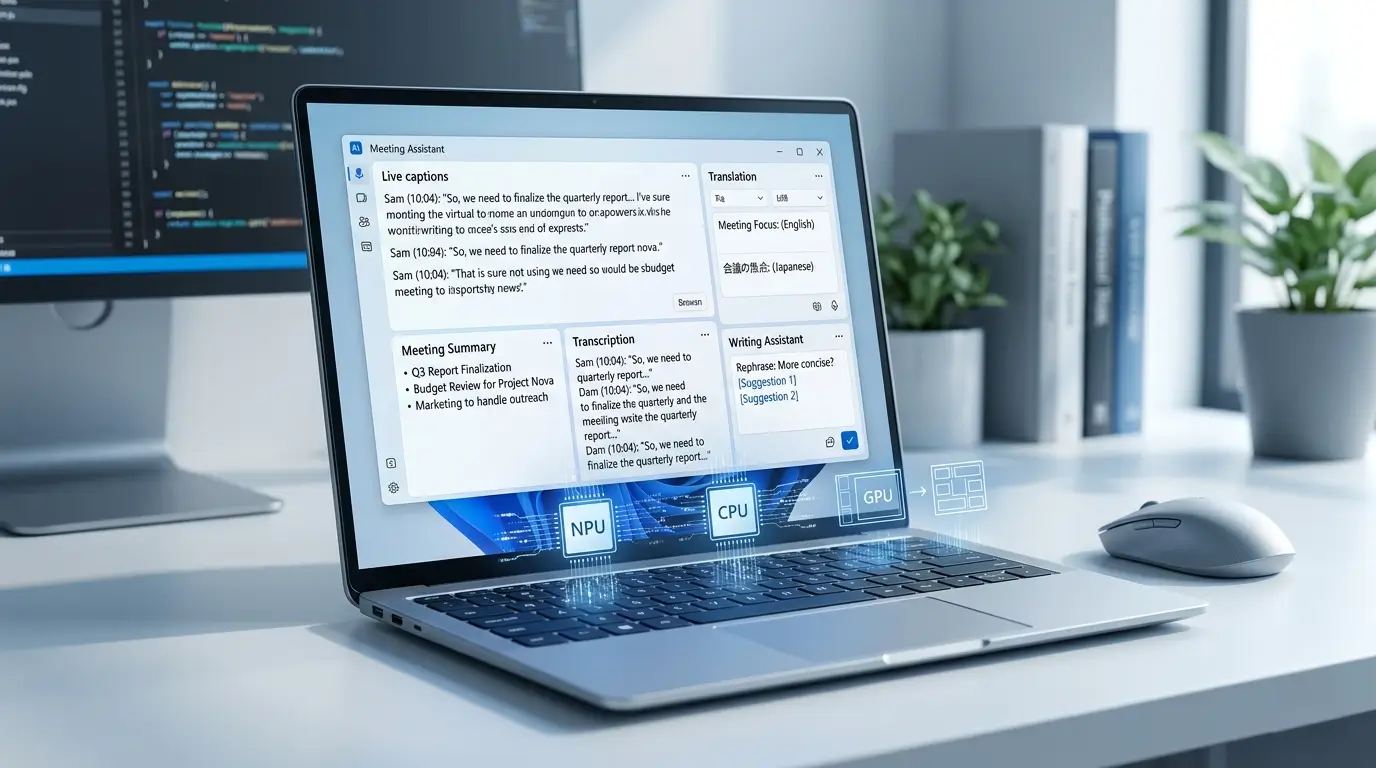
- The most useful AI features today are transcription, live captions, translation, meeting enhancements, and writing assistance.
- Higher NPU TOPS ratings don’t automatically result in a better user experience.
- Many AI features still depend on cloud services despite marketing around local AI.
- Battery life, RAM, display quality, and software support often matter more than AI branding.
- For content creators, GPU performance frequently has a bigger impact than NPU performance.
Table of Contents
What Is an AI PC?
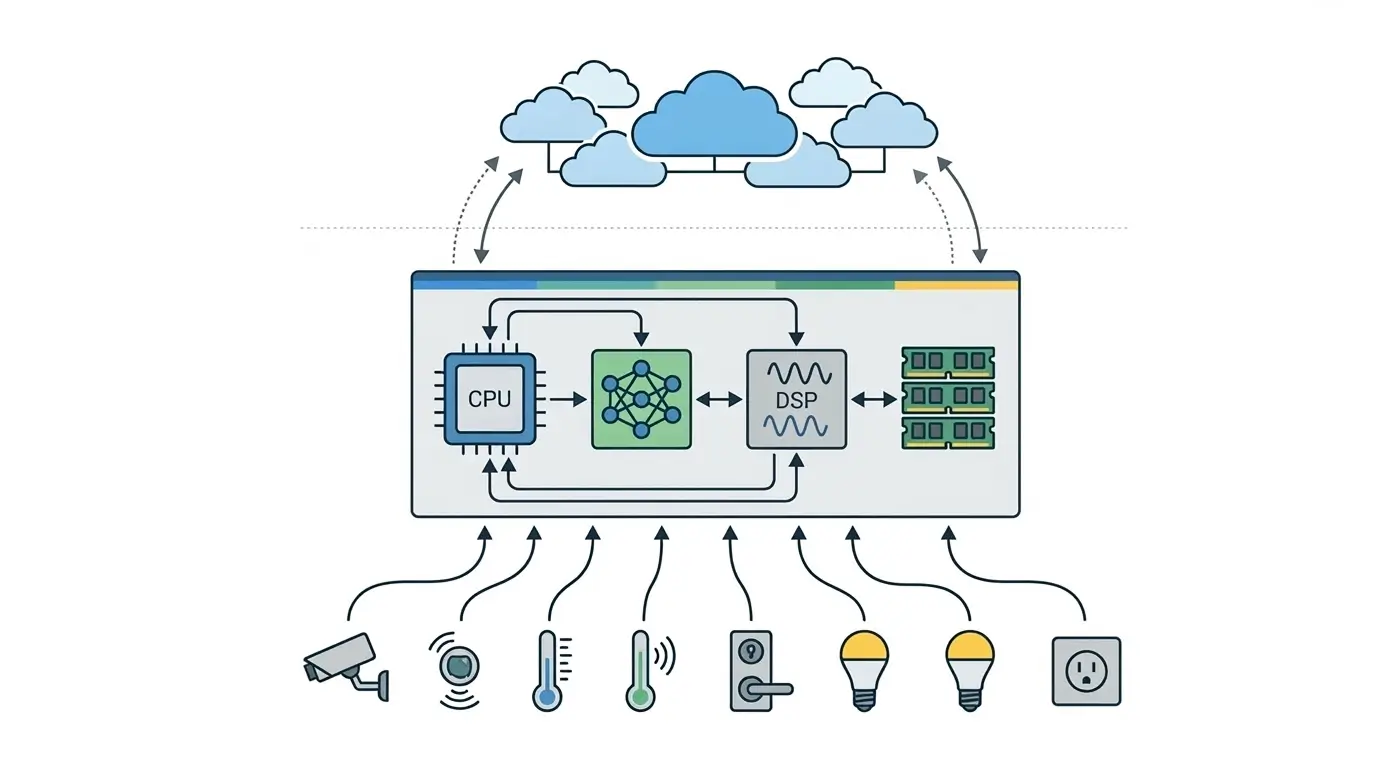
An AI PC is a computer equipped with a CPU, GPU, and a dedicated Neural Processing Unit (NPU).
The NPU is designed to process AI workloads efficiently while consuming less power than a CPU or GPU. To understand how NPUs differ from traditional processors, see our guide on NPU vs GPU vs CPU for AI Inference.
Examples of AI PCs in 2026 include:
- Lenovo Yoga Slim 7x
- Microsoft Surface Laptop Copilot+ PC
- Samsung Galaxy Book5 Pro
- ASUS Zenbook A14
- HP OmniBook Ultra
- MacBook Air M4
- MacBook Pro M4
These systems can accelerate AI-powered features such as:
- Live transcription
- Real-time translation
- Background noise removal
- AI image editing
- Meeting enhancements
- Writing assistance
- Summarization
Unlike traditional laptops, AI PCs are specifically designed to run some AI workloads locally on the device rather than relying entirely on cloud servers.
Why AI PCs Are Suddenly Everywhere
The rise of AI PCs isn’t happening because consumers suddenly demanded AI laptops.
Several industry trends arrived at the same time:
- More powerful NPUs
- Better battery efficiency
- Local AI models becoming practical
- Microsoft’s Copilot+ initiative
- Apple’s Apple Intelligence rollout
- Growing privacy concerns around cloud AI
Laptop manufacturers quickly realized these technologies could be packaged into a new category.
However, one of the most interesting findings from reviewer feedback is that many buyers end up appreciating battery life improvements more than the AI features themselves. Snapdragon X Elite laptops and Apple Silicon Macs frequently receive praise for efficiency, silent operation, and all-day battery life rather than AI functionality alone. Qualcomm’s Snapdragon X platform is one of the biggest drivers behind the AI PC category. We compared it with Intel and AMD in our detailed Snapdragon X Elite vs Intel AI Boost vs AMD XDNA comparison.
The Biggest Surprise About AI PCs
The biggest surprise for many buyers is that AI features are rarely the reason they end up loving their laptop.
For example, devices powered by Qualcomm’s Snapdragon X Elite platform have been widely praised for their battery life and efficiency.
Many reviewers describe the experience as being closer to a MacBook Air than a traditional Windows ultrabook. Users often mention that they spend more time appreciating longer battery life and quieter fans than experimenting with AI features.
In other words, AI may be what gets customers interested, but battery life is often what keeps them satisfied after purchase.
AI PC Features That Actually Matter
1. Live Captions and Translation
For many users, live captions are one of the most genuinely useful AI features available today.
Students can follow lectures more easily.
Remote workers can participate in multilingual meetings.
Travelers can understand content from different languages.
Unlike flashy AI demonstrations, live captions solve a real problem every day.
Many AI PCs can now perform these tasks locally using the NPU, reducing latency and improving privacy.
2. Better Video Calls
If you spend hours every week in Zoom, Teams, or Google Meet calls, AI-powered video enhancements can make a noticeable difference.
Modern AI PCs can provide:
- Background blur
- Eye contact correction
- Voice isolation
- Automatic framing
- Noise suppression
Many users leave these features enabled permanently because they improve call quality without significantly impacting battery life or fan noise.
3. AI-Powered Transcription
Students, journalists, podcasters, and content creators often benefit more from transcription than any other AI feature.
Instead of manually converting audio into text, AI-powered tools can automatically generate transcripts for:
- Lectures
- Interviews
- Meetings
- Podcasts
- Videos
For creators, this can save hours every week.
4. Writing Assistance
One area where AI has quietly become useful is writing support.
Tools built into Windows and Apple Intelligence can help users:
- Rewrite emails
- Summarize documents
- Proofread content
- Simplify complex text
Many Apple Intelligence users report that writing tools and notification summaries are among the few AI features that become part of their daily workflow.
5. Local AI Processing
Privacy is becoming increasingly important.
Many users prefer AI features that run locally rather than sending personal information to cloud servers.
Benefits include:
- Faster responses
- Offline functionality
- Better privacy
- Reduced cloud dependency
However, it’s important to understand that not every advertised AI feature runs locally.
Many assistants still rely heavily on cloud infrastructure for advanced tasks.
What Is Mostly Marketing?
The NPU TOPS Race
Laptop manufacturers love advertising NPU performance.
You’ll see numbers such as:
- 40 TOPS
- 45 TOPS
- 50 TOPS
- 80 TOPS
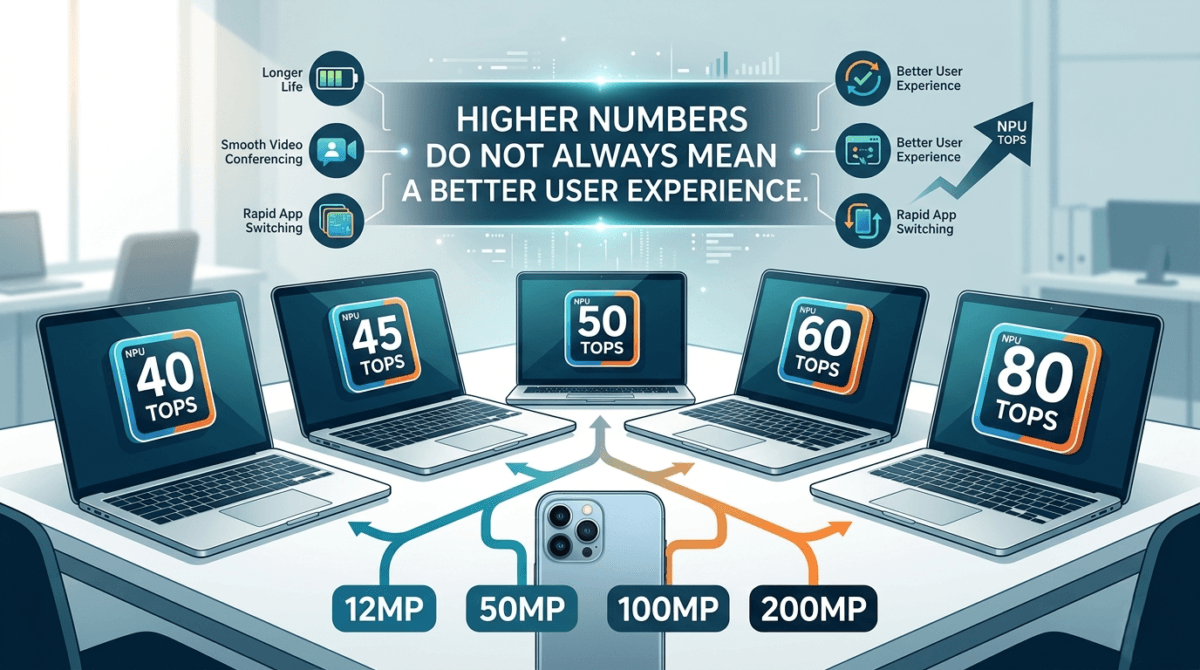
These figures sound impressive, but most users won’t notice major differences once a laptop meets modern AI requirements.
One reason 40 TOPS has become a widely discussed benchmark is Microsoft’s Copilot+ PC initiative. Current Copilot+ PCs are required to include an NPU capable of at least 40 TOPS to support certain on-device AI experiences. However, exceeding that requirement doesn’t automatically guarantee a noticeably better everyday experience for most users.
A useful comparison is camera megapixels.
At a certain point, higher numbers stop translating into noticeable improvements.
The same is true for NPU TOPS. If you’re interested in how different AI chip architectures compare, read our Neural Engine vs Hexagon NPU vs MediaTek APU comparison.
AI Gaming Claims
Some marketing suggests AI PCs improve gaming performance.
In reality, gaming performance still depends primarily on:
- GPU capability
- Cooling
- RAM
- Display quality
AI may help with webcam effects or streaming enhancements, but it won’t magically increase frame rates.
What Buyers Expected vs Reality
| Marketing Promise | Reality |
|---|---|
| Copilot+ will transform Windows | Most users primarily use a handful of AI features |
| Higher TOPS means dramatically better AI | Differences become difficult to notice beyond a baseline |
| AI PCs run everything locally | Many features still depend on cloud services |
| Apple Intelligence means a completely new Siri | Several advanced Siri capabilities are still rolling out |
| AI laptops are better for gaming | GPU performance still matters most |
Should You Buy an AI PC or a Better Traditional Laptop?
If your budget is limited, spending an extra amount purely for AI branding is rarely a good decision.
For many buyers, upgrading from:
- 8GB RAM to 16GB RAM
- A mediocre display to a better display
- A slower SSD to a faster SSD
Will provide more daily value than AI branding alone.
AI features become much more attractive when they come as part of an overall hardware upgrade.
Who Should Buy an AI PC?
AI PCs make the most sense for:
Students
Most useful features:
- Live transcription
- Lecture captions
- Summarization
Office Workers
Most useful features:
- Noise suppression
- Meeting transcription
- Video enhancements
Content Creators
Most useful features:
- AI transcription
- Noise reduction
- Smart reframing
- Editing assistance
For creators, GPU performance often matters more than NPU TOPS.
Developers
Developers interested in local AI experimentation may benefit from modern AI PCs, but CPU performance, RAM capacity, and battery life remain equally important considerations.
The value of an AI PC ultimately depends on how you use your laptop. Students and office workers may benefit most from transcription and meeting features, while creators often gain more from strong GPU performance and efficient hardware than headline NPU numbers.
Common AI PC Buying Mistakes
Buying Based Only on TOPS
Higher TOPS doesn’t automatically mean a better experience.
Ignoring RAM
Many AI workloads benefit more from sufficient memory than from small NPU differences.
Aim for at least 16GB RAM.
Assuming Everything Runs Locally
Many AI features still depend on cloud services.
Paying Extra for Features You’ll Never Use
Before buying an AI PC, ask yourself:
“What AI feature will I actually use every week?”
If you can’t answer that question, focus on overall laptop quality first.
Final Verdict
AI PCs are not a gimmick.
But they’re also not the revolution that some marketing campaigns suggest.
The most valuable AI features in 2026 are surprisingly practical:
- Live captions
- Transcription
- Translation
- Meeting enhancements
- Writing assistance
These tools quietly save time every day.
At the same time, buyers should be cautious about focusing exclusively on TOPS ratings or AI branding.
For most people, battery life, RAM, display quality, software support, and overall performance will have a bigger impact on daily satisfaction than small differences in AI hardware. You can also explore real AI PC rankings using our Top AI PCs list and compare devices side-by-side in the Giznova AI Explorer.
Ironically, the smartest way to buy an AI PC is to choose a great laptop first and treat AI features as a bonus.
How much RAM should an AI PC have in 2026?
For most users, 16GB of RAM is the minimum recommended configuration for an AI PC. Users working with AI-assisted content creation, local AI models, or professional workloads may benefit from 32GB or more.
Will AI PCs become obsolete quickly?
Probably not. Most AI PCs released in 2025 and 2026 already meet current software requirements for Microsoft Copilot+ and other AI features. However, software capabilities will continue evolving faster than hardware requirements.
Are AI PCs better for battery life?
In many cases, yes. Modern AI PCs often use newer chip architectures and more efficient NPUs that can handle background tasks with lower power consumption. Many buyers report battery life as one of the biggest advantages of recent AI laptops.
Is a higher NPU TOPS rating always better?
Not necessarily. Once a laptop meets modern AI software requirements, the overall user experience is often influenced more by RAM, storage, software optimization, battery life, and CPU/GPU performance than by small differences in NPU TOPS ratings.
Should content creators prioritize NPU performance or GPU performance?
For most creators, GPU performance remains more important. Video editing, rendering, AI-assisted effects, and image processing workloads typically benefit more from a powerful GPU, while the NPU helps with specific AI acceleration tasks.