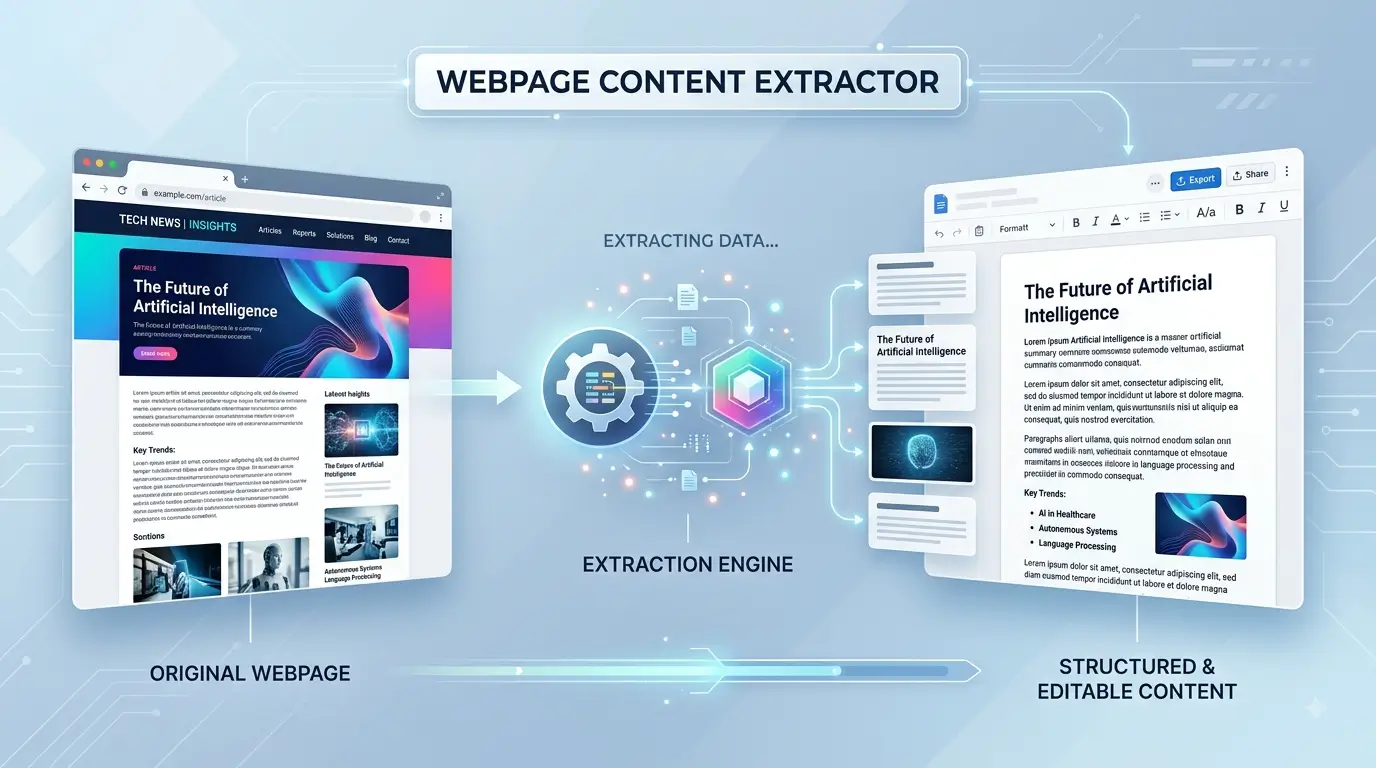
Extract clean, editable content from webpages. Paste a webpage URL or raw HTML to extract content you can edit, format, copy, or download.
How to use the Webpage Content Extractor
Using the tool is simple:
1. Enter a webpage URL
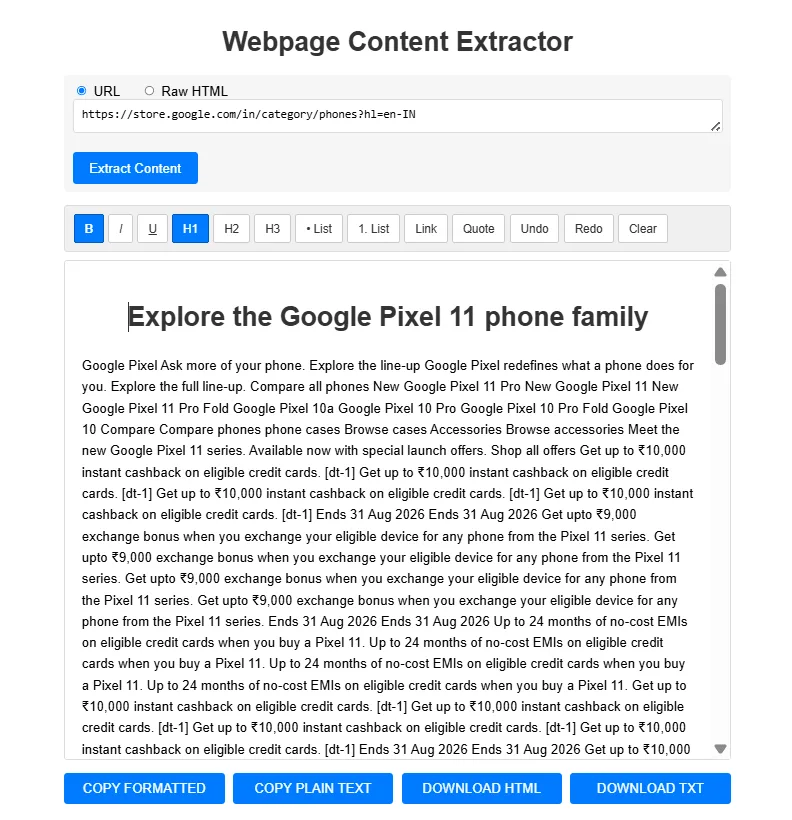
Select URL and paste the webpage address you want to extract.
2. Extract the content
Click Extract Content and the tool will process the webpage and place the extracted content in the editor.
3. Edit and format
Use the editor to make changes to the extracted content. You can apply headings, bold, italic, underline, lists, links, and blockquotes.
4. Copy or download
When you’re finished, you can copy the formatted content, copy plain text, or download the result as HTML or TXT.
URL extraction and raw HTML
The tool supports two input methods.
URL: Enter a webpage address and let the extractor retrieve the page.
Raw HTML: Paste HTML directly when you already have the webpage source and want to extract usable content from it.
What can you do with extracted content?
The Webpage Content Extractor can be useful when you need to:
- Extract readable content from a webpage
- Work with HTML content
- Clean up content before editing
- Reformat extracted text
- Copy formatted content
- Save extracted content as HTML
- Save extracted content as plain text
Frequently Asked Questions
What is a Webpage Content Extractor?
A Webpage Content Extractor is a tool that retrieves content from a webpage and presents it in an editable format.
Can I extract content from a webpage URL?
Yes. Select URL, enter the webpage address, and click Extract Content.
Can I paste HTML directly?
Yes. Select Raw HTML and paste the HTML content into the input area.
Can I edit the extracted content?
Yes. The extracted content is placed into an editable editor where you can format and modify it.
Can I download the extracted content?
Yes. The tool provides options to download the extracted content as HTML or TXT.
Can I copy the extracted content?
Yes. You can copy the formatted version or plain-text version from the editor.
Important note
The tool extracts webpage content, but extraction quality can vary between websites. Some websites use JavaScript-heavy layouts, promotional elements, or dynamically loaded content that can make clean extraction more difficult.
If you’re researching AI and consumer technology, explore Giznova AI Explorer for device-focused AI information.
The tool can help you prepare webpage content for further editing and research on Giznova.