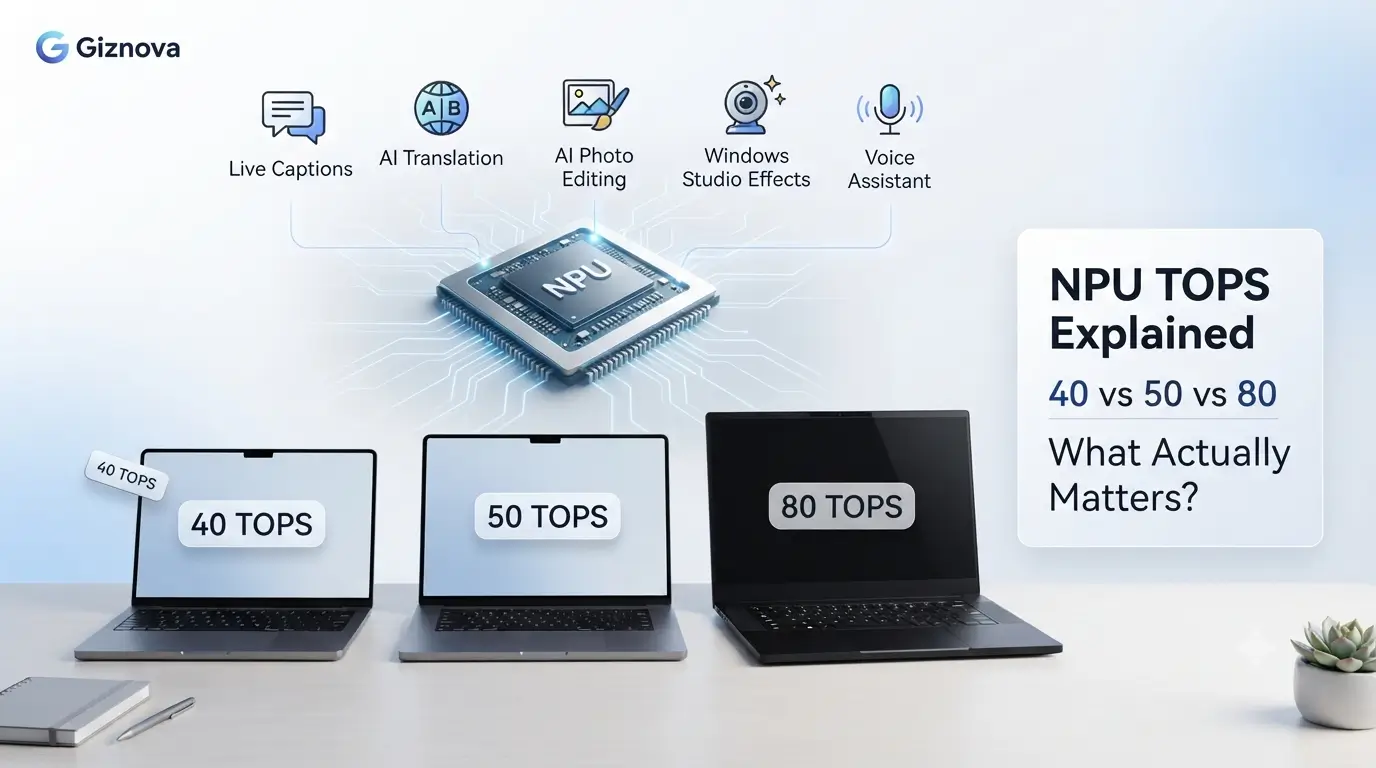
In this NPU TOPS explained guide, we’ll look beyond the marketing and explain what the TOPS number actually means, how it affects AI laptops and smartphones, and whether paying more for a higher TOPS rating is worth it. Buying an AI laptop or smartphone has become more confusing than it was just a year ago.
Not long ago, comparing devices was fairly straightforward. Most people looked at the processor, RAM, battery life, camera quality, or price. Today, there’s another specification appearing on product pages and launch events: NPU TOPS.
Some devices advertise 40 TOPS, while others promise 50 TOPS, 80 TOPS, or even more. Naturally, it’s easy to assume that a higher number means a better AI experience.
The reality isn’t that simple.
TOPS measures the theoretical AI processing capability of a device’s Neural Processing Unit (NPU), but it doesn’t tell you how fast your laptop will feel, how well your favorite apps will perform, or whether you’ll actually benefit from the extra AI hardware.
For most people, a well-balanced laptop with 40–50 TOPS, enough memory, good battery life, and strong software support will provide a better everyday experience than chasing the highest TOPS number on the specification sheet.
This guide explains what NPU TOPS actually measures, where it matters, where it doesn’t, and how to decide whether paying more for a higher TOPS rating is worth it.
Before We Start, Here’s the Short Answer
If you’re here because you’re choosing between two AI laptops and one advertises 50 TOPS while another claims 80 TOPS, don’t make your decision yet.
For most buyers, the difference won’t be nearly as noticeable as the marketing suggests.
In fact, if both laptops have enough RAM, good battery life, and support the AI features you actually use, you may never notice the extra TOPS during everyday work.
That’s exactly why understanding **where TOPS matters—and where it doesn’t—**is more useful than simply comparing numbers.
NPU TOPS Is Everywhere. But What Does It Actually Tell You?
If you’ve been researching AI laptops over the past few months, you’ve probably noticed that manufacturers are paying much more attention to the Neural Processing Unit (NPU) than ever before.
Processors are no longer being promoted only by CPU speed or graphics performance. AI capabilities have become part of the conversation, especially after Microsoft introduced Copilot+ PCs, which require a minimum 40 TOPS NPU for supported AI experiences.
That naturally raises another question. If 40 TOPS is enough to qualify for Copilot+ features, why are newer processors now advertising 50 TOPS, 80 TOPS, or even higher numbers? More importantly…
Should those numbers influence your buying decision?
The answer is yes, but probably not in the way most people expect.
One of the biggest misconceptions is treating TOPS like processor speed.
Many buyers assume that an 80 TOPS laptop must deliver twice the AI performance of a 40 TOPS laptop, just as a faster processor often outperforms a slower one. Unfortunately, AI hardware doesn’t work that way. TOPS is only one part of a much larger picture.
Before comparing numbers, it’s worth understanding what that specification actually measures—and what it doesn’t.
What Exactly Is TOPS?
TOPS stands for Trillions of Operations Per Second.
According to Qualcomm, it’s a measurement of the maximum number of AI operations that an NPU can perform in one second. Intel also describes TOPS as a theoretical peak performance metric, calculated under ideal conditions with the AI hardware fully utilized.
The phrase “theoretical peak” is easy to overlook, but it’s also the most important part of the definition.
Think about a laptop processor.
A processor may boost to a certain clock speed, but it won’t stay there continuously during every workload. Power limits, cooling, software, and the task itself all influence how the processor performs in practice. TOPS works in a similar way.
The number represents the maximum AI processing capability of the hardware. It doesn’t mean your laptop is constantly operating at that level, and it certainly doesn’t mean every application will benefit from it. This is where many buying decisions start going in the wrong direction. Some people see a higher TOPS figure and assume the entire laptop will feel faster. That’s not what TOPS measures. A higher TOPS rating won’t reduce Windows boot time. It won’t improve gaming performance. It won’t make your browser load websites any faster. Instead, it becomes relevant only when an application is specifically designed to offload AI work to the NPU.
Think of TOPS Like Horsepower
A simple way to understand TOPS is to compare it with a car’s horsepower.
A car with 500 horsepower isn’t always the better choice if you only drive in city traffic.
In the same way, an 80 TOPS NPU doesn’t automatically make a laptop feel faster during everyday tasks.
It simply means the AI hardware has more processing headroom when software is designed to use it.
Why Microsoft’s 40 TOPS Requirement Matters
For years, NPU performance was mostly something hardware engineers cared about. That changed when Microsoft introduced Copilot+ PCs. Instead of simply recommending AI hardware, Microsoft established a minimum requirement of 40 NPU TOPS for devices that support the complete Copilot+ experience. That decision made TOPS much more visible to everyday buyers.
Suddenly, shoppers comparing laptops weren’t just looking at processor generations or battery life. They also started seeing discussions around 40 TOPS, 45 TOPS, 50 TOPS, and beyond. It’s important to understand what Microsoft’s requirement actually means.
Microsoft provides more information about the hardware requirements for AI features and Copilot+ PCs in its official Windows AI NPU documentation.
The 40 TOPS requirement isn’t a performance ranking. It’s a baseline for enabling certain Windows AI experiences.
Having more than 40 TOPS doesn’t automatically make every AI feature twice as fast. Whether you’ll notice a difference depends on something much more practical:
Can the software you’re using actually take advantage of the extra AI performance?
That’s a question product pages rarely answer.
Comparing TOPS Isn’t Always Fair
| Brand | How TOPS is presented | What buyers should know |
|---|---|---|
| Qualcomm | Dense TOPS | Good for comparing Snapdragon chips, but not automatically comparable with every competitor. |
| Intel | Peak TOPS | Represents the theoretical maximum under specific conditions. |
| AMD | Peak NPU TOPS | Useful for comparing Ryzen AI chips, but still not a complete performance measure. |
If you want to compare various laptops or AI PCs, you can compare them with our AI explorer comparison tool.
What TOPS Can — And Can’t — Tell You
| TOPS Helps You Understand | TOPS Doesn’t Tell You |
|---|---|
| Maximum AI processing capability | Overall laptop speed |
| AI capability of the NPU | Gaming performance |
| Support for certain AI features | Battery life |
| Potential for future AI workloads | How every app will perform |
| Relative AI hardware capability | Software optimization quality |
Looking at the table, one thing becomes obvious. TOPS answers a very specific question.
“How much AI work can this NPU theoretically handle?”
It doesn’t answer the question most buyers actually care about.
“Will this laptop feel better to use every day?”
Those are two very different questions.
Understanding that difference is the first step toward making a smarter buying decision. In the next section, we’ll move beyond the specifications and look at something far more practical:
Can you actually notice the difference between 40 TOPS, 50 TOPS, and 80 TOPS in real-world use, or is the gap much smaller than the numbers suggest?
Which AI Features Actually Use the NPU Today?
| AI Feature | CPU | GPU | NPU | Cloud |
|---|---|---|---|---|
| Windows Studio Effects | Yes | |||
| Live Captions | Yes | |||
| Microsoft Recall | Yes | |||
| Photoshop AI | Yes | No | No | |
| ChatGPT Website | Yes | Yes | ||
| AI Image Generation | Yes | Yes |
Does 40, 50, or 80 TOPS Make a Real Difference?
Now that we know what TOPS measures, let’s come back to the question most buyers actually care about.
Will you notice the difference?
| Buyer | What you’ll actually notice | Recommended TOPS |
|---|---|---|
| Student | Live Captions, AI note-taking, video calls | 40–50 |
| Office worker | Copilot+, Studio Effects, document summaries | 40–50 |
| Creator | AI photo editing and creative tools | 50–80 |
| Developer | Local AI assistants and testing models | 50–80+ |
The honest answer is sometimes.
Not because the TOPS number is unimportant, but because the NPU is only one part of the system. Whether you notice the extra AI performance depends on three things:
- The apps you use.
- Whether those apps support the NPU.
- The rest of the hardware inside your laptop or phone.
That’s why someone editing documents, attending video meetings, and browsing the web may never notice the difference between a 50 TOPS and an 80 TOPS laptop. On the other hand, someone running local AI models or AI-assisted creative tools might.
The important point is that more TOPS only helps when the software knows how to use it.
What Can an NPU Actually Do Today?
One reason buyers get confused is that the phrase “AI laptop” sounds much bigger than the reality. An NPU doesn’t make every application smarter overnight. Instead, it accelerates specific AI workloads that developers have optimized for it.
Today, these are some of the most common examples.
| Feature | Uses NPU? | Notes |
|---|---|---|
| Windows Studio Effects | Yes | Background blur, eye contact, auto framing |
| Live Captions & Translation | Yes | Supported on compatible Copilot+ PCs |
| Voice transcription | Yes | Improves efficiency for supported apps |
| AI photo selection or object detection | Sometimes | Depends on the application |
| AI image generation | Usually GPU or Cloud | Heavy workloads rarely run only on the NPU |
| Large local AI chatbots | Mostly GPU + RAM | NPU helps, but isn’t the only requirement |
Looking at this list, a pattern starts to emerge. Today’s NPUs are excellent at small, repetitive AI tasks that run continuously in the background. They’re much less important for larger AI workloads like generating images or running large language models locally.
Why Two Laptops With Similar TOPS Can Feel Completely Different
This is probably the biggest misunderstanding in today’s AI PC market.
Imagine these two laptops.
Laptop A
- 80 TOPS NPU
- 16GB RAM
- Thin chassis
- Average cooling
- Software still catching up
Laptop B
- 50 TOPS NPU
- 32GB RAM
- Better cooling
- Faster memory
- Well-optimized software
On paper, Laptop A wins. In everyday use, Laptop B could easily feel smoother.
Why?Because the NPU doesn’t work alone. It still needs data from memory. It depends on software optimization. It depends on drivers. It depends on thermal management. If any of those become a bottleneck, the NPU simply spends part of its time waiting instead of processing AI workloads.
This is exactly why Qualcomm recommends looking at real application benchmarks instead of comparing TOPS alone.
The Real Bottleneck Usually Isn’t TOPS
After reading official documentation and independent testing, one conclusion appears again and again.The NPU is rarely the weakest part of the system. More often, these are the components that determine how good an AI laptop feels. Different AI platforms also approach NPU design differently. If you’re deciding between Windows AI laptops, our Snapdragon X Elite, Intel AI Boost, and AMD XDNA comparison explains how each architecture balances AI performance, efficiency, and software support.
RAM
AI applications consume memory quickly. If your system runs out of RAM, performance drops regardless of how powerful the NPU is. That’s one reason many newer AI laptops start with 16GB of memory, while 32GB is becoming more attractive for creators and developers.
Software Support
An application has to be written to use the NPU.
If it isn’t, the workload usually falls back to the CPU or GPU.
That’s why two laptops with similar hardware can behave very differently depending on the software you’re running.
Cooling
AI workloads often run longer than traditional office tasks.
A laptop with poor cooling may reduce performance over time to control temperatures.
A slightly slower chip with better thermal management can sometimes deliver a more consistent experience during longer workloads.
Memory Bandwidth
The NPU can only process information as quickly as it receives it.
Limited memory bandwidth creates another bottleneck, especially for larger AI models.
For most buyers this isn’t something to compare directly, but it’s another reason why the TOPS number alone doesn’t tell the whole story.
While researching this guide, I noticed the same misconceptions appearing across official documentation, independent reviews, and buyer discussions.
- Buying only for TOPS
- Ignoring RAM
- Ignoring software
- Thinking AI PC means every app uses AI
- Future-proofing too much
Which TOPS Level Makes Sense for You?This is where the numbers become easier to understand.
| NPU TOPS | Who Should Consider It | Is It Worth Paying More? |
|---|---|---|
| Below 40 TOPS | General users with little interest in AI features | Usually no, if AI matters to you |
| 40–50 TOPS | Students, office work, browsing, meetings, everyday AI | Yes. Best value for most buyers. |
| 50–80 TOPS | Content creators, developers, photographers | If your software benefits from local AI |
| 80+ TOPS | Power users experimenting with local AI models and future workflows | Only if you know you’ll use the extra capability |
One thing stands out. For the average buyer, 40–50 TOPS is already enough.
| Device | Chip | NPU TOPS | Good For |
|---|---|---|---|
| Surface Laptop 7 | Snapdragon X Elite | 45 | Office, students |
| ASUS Zenbook S16 | Ryzen AI HX 370 | 50 | Creators |
| HP OmniBook X | Snapdragon X Elite | 45 | Everyday AI |
| Snapdragon X2 laptop (when available) | Snapdragon X2 Elite | 80 | Heavy local AI |
Spending significantly more simply to get a higher TOPS number doesn’t always translate into a better everyday experience.
Do Higher TOPS Numbers Matter on Smartphones Too?
The short answer is yes—but usually less than you might think.
Just like laptops, modern smartphones include a dedicated Neural Processing Unit (NPU) to handle AI tasks more efficiently. The difference is that phone brands rarely highlight the NPU’s TOPS rating during the buying process. Instead, they focus on the AI features those chips enable.
For example, your phone’s NPU may be responsible for:
| AI Feature | Does the NPU Help? |
|---|---|
| Scene detection while taking photos | Yes |
| Portrait mode and background blur | Yes |
| Live translation | Yes |
| Voice recognition | Yes |
| AI-powered photo organization | Yes |
| Opening apps or gaming | No (mainly CPU/GPU) |
Just like on a laptop, the NPU doesn’t make your entire phone faster. Opening apps, scrolling through social media, gaming, or switching between apps still depends much more on the CPU, GPU, memory, and software optimization.
The NPU quietly handles AI tasks running in the background, helping improve efficiency without draining the battery as quickly.
For most smartphone buyers, this means it’s better to compare AI features rather than the TOPS number itself. If one phone offers useful tools like live translation, AI photo editing, or on-device voice processing, those features will have a much bigger impact on your daily experience than simply choosing the phone with the highest advertised AI performance., browsing social media, or streaming videos still depends far more on the CPU, GPU, storage, and software optimization than the NPU alone. If you’d like to understand why hardware engineers don’t rely on TOPS alone, our guide on why TOPS isn’t the only metric that matters explains how real AI performance depends on much more than a single specification.
Before You Pay More for a Higher TOPS Number
If someone asked me what to prioritize when buying an AI laptop today, TOPS wouldn’t be at the top of my checklist.
I’d look at things in roughly this order:
Battery Life
        ↓
RAM Capacity
        ↓
Display Quality
        ↓
Software Support
        ↓
Overall Processor
        ↓
NPU TOPS
That doesn’t mean TOPS is unimportant.
It simply means it’s one specification among many.
A balanced laptop with a slightly lower TOPS rating often provides a better long-term experience than a machine that focuses on one impressive number while compromising elsewhere.
So, Should You Care About TOPS?
If you’ve read this far, you already know the answer isn’t as simple as “higher is better.” TOPS is a useful specification, but it’s only one piece of the puzzle. A laptop with an 80 TOPS NPU isn’t automatically the better choice just because the number is bigger. If the software you use doesn’t take advantage of that extra AI performance, you’ll rarely notice a meaningful difference.
That’s why it’s worth thinking about how you actually use your device, not just what the specification sheet says. If your day mostly revolves around web browsing, Microsoft Office, online meetings, streaming, and occasional photo editing, a modern AI laptop with 40–50 TOPS is already capable of handling today’s AI features comfortably.
On the other hand, if you’re experimenting with local AI models, developing AI applications, editing large media projects, or planning to keep your laptop for several years, investing in a higher-TOPS system may give you more flexibility as software continues to improve.
The important thing is to buy based on your workload—not marketing.be worth it.
Marketing vs Reality
| Marketing Says | Reality |
|---|---|
| Higher TOPS = Faster Laptop | No |
| Higher TOPS = Better AI Hardware | Yes |
| Higher TOPS = Better Gaming | No |
| Higher TOPS = Better Battery | No |
Don’t Buy Based on TOPS Alone
One mistake many buyers make is assuming that a higher TOPS number automatically means a better laptop. In reality, the right choice depends on your workload.
| Your Priority | What to Look For |
|---|---|
| Everyday productivity | 40–50 TOPS, long battery life, 16GB+ RAM |
| Online meetings & remote work | 40–50 TOPS with Windows Studio Effects support |
| Photo & video editing | 50+ TOPS, more RAM, fast SSD, good cooling |
| Running local AI models | 80+ TOPS, 32GB+ RAM, powerful CPU, efficient cooling |
| Future-proofing for AI | 50–80 TOPS from a modern AI platform with long software support |
Common Questions About NPU TOPS
Is 40 TOPS enough in 2026?
Yes.
Microsoft’s Copilot+ PC platform requires a minimum of 40 TOPS, making it the entry point for many of today’s Windows AI experiences.
For most students, professionals, and everyday users, 40–50 TOPS is already sufficient.
Does a higher TOPS number make Windows faster?
No.
TOPS only measures AI processing capability.
General tasks like opening applications, browsing the web, gaming, or copying files depend much more on the CPU, storage, RAM, and software optimization.
Can I compare TOPS across different brands?
Not perfectly.
Although TOPS provides a useful estimate of AI capability, Qualcomm and Intel both explain that there isn’t a universal industry standard for measuring it.
Different precisions, workloads, and reporting methods mean comparisons should be treated as approximate rather than absolute.
Do smartphones also use NPUs?
Yes.
Modern smartphones include NPUs to accelerate features like:
Camera scene detection
Live translation
Voice recognition
AI photo editing
On-device assistants
Just like laptops, however, the NPU only helps when software is designed to use it.
Is paying extra for 80 TOPS worth it?
It depends on your workload.
If you’re mainly using productivity apps, attending meetings, browsing the web, and editing documents, you’ll probably see little benefit over a good 40–50 TOPS laptop.
If you’re interested in local AI development, creator workflows, or future AI features, spending more may make sense.
Key Takeaways
Before buying your next AI laptop or smartphone, keep these points in mind.
✓ TOPS measures AI processing capability, not overall system performance.
✓ A higher TOPS number doesn’t automatically make a laptop faster.
✓ Software support is just as important as hardware capability.
✓ Memory, cooling, battery life, and processor performance often have a greater impact on daily use.
✓ For most buyers, 40–50 TOPS offers the best balance between features and value.
✓ Higher TOPS becomes more useful as local AI applications continue to grow, but only if your workflow can benefit from it.
The Bottom Line
It’s easy to focus on the biggest number on a product page, especially when every new generation promises more AI performance than the last. But choosing a laptop has never been about one specification.
The same rule still applies today. A balanced device with good battery life, enough memory, reliable software support, and AI features you’ll actually use is almost always a better investment than chasing the highest TOPS number. Think of TOPS as one tool for comparing AI hardware—not the final verdict. The best laptop isn’t the one with the biggest AI number.
It’s the one that fits the way you work today while leaving enough room for the software you’ll use tomorrow.